Shopify Store Checklist: 12 Things to Fix Before You Run Ads
Ads send people to your store. The store decides if they buy. Use this 12-point Shopify store checklist to fix speed, product pages, checkout and tracking first.
Shopify ThemesAds can send people to your store. They can't make them buy. That's why this Shopify store checklist comes before any ad budget.
If your store is slow, unclear or full of surprises at checkout, every ad dollar works against you. It covers the 12 things to fix before you spend money on traffic. Most take minutes, not weeks.
Speed and mobile
1. Test the store on your own phone, on mobile data
Not on office Wi-Fi, not on a laptop. Open the exact product page your ads will use. Google's mobile research found that 53% of mobile visits are abandoned if a page takes longer than 3 seconds to load.
2. Remove apps you don't use
Many apps add code to every page, even after you stop using them. Go through your app list, uninstall what you don't need, and check that its code is gone from your theme.
3. Compress your images
A 5 MB product photo looks the same on a phone as a 300 KB one. Resize and compress images before upload, and use your theme's built-in image sizes.
Product pages
4. Show the product the way people will use it
One clean photo on white, one in use, one that shows size or scale, and a close-up of the detail that matters (fabric, texture, finish). If it comes in colours, show every colour.
5. Put price, shipping and delivery time next to Add to cart
People want to know three things before they tap the button: how much, how much to ship, and when it arrives. Don't make them hunt for it.
6. Show reviews on the product page
Real reviews, close to the product, with photos if you have them. If you're new and have no reviews yet, show your returns policy and a clear way to contact you instead. Never invent reviews.
7. Keep one clear button above the fold on mobile
On a phone, the Add to cart button should be visible without scrolling, or stick to the bottom of the screen as people scroll.
Checkout
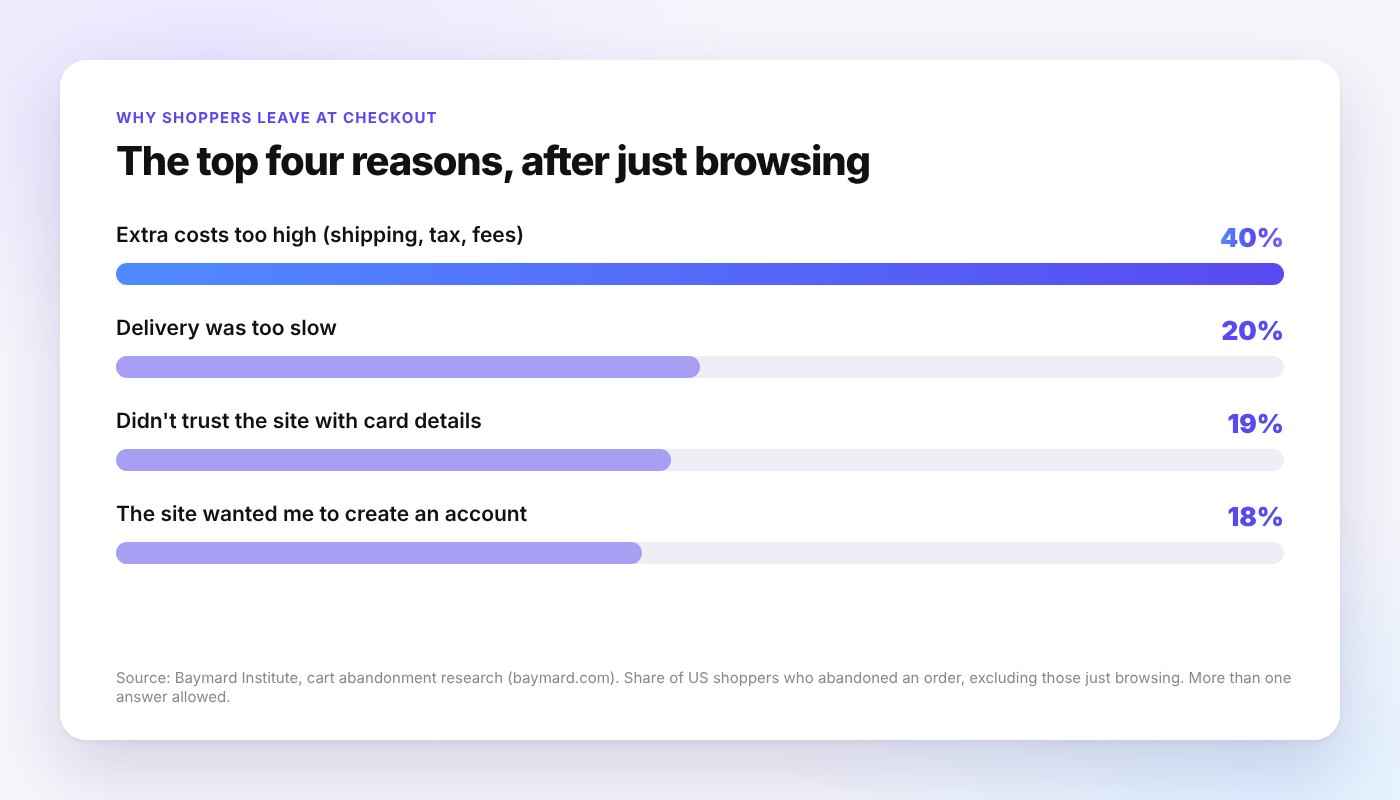
Baymard Institute's research puts the average documented cart abandonment rate at 70.22%, based on 50 studies. Its survey also shows why people leave once they're past casual browsing.
8. Show extra costs early
Extra costs like shipping, tax or fees were the top reason, picked by 40% of shoppers who left. Show shipping on the product page and in the cart, or offer a free shipping threshold.
9. Let people check out as a guest
18% left because the site wanted them to create an account. Make account creation optional.
10. Turn on express payments
Shop Pay, Apple Pay and Google Pay let people pay in a few taps without typing card details on a small screen. On Shopify, you can turn them on in your payment settings.
Trust
11. Make it easy to see who you are
19% said they didn't trust the site with their card details. A real About page, a contact email that works, a clear returns policy and secure checkout badges all help. Link them in your footer.
Tracking
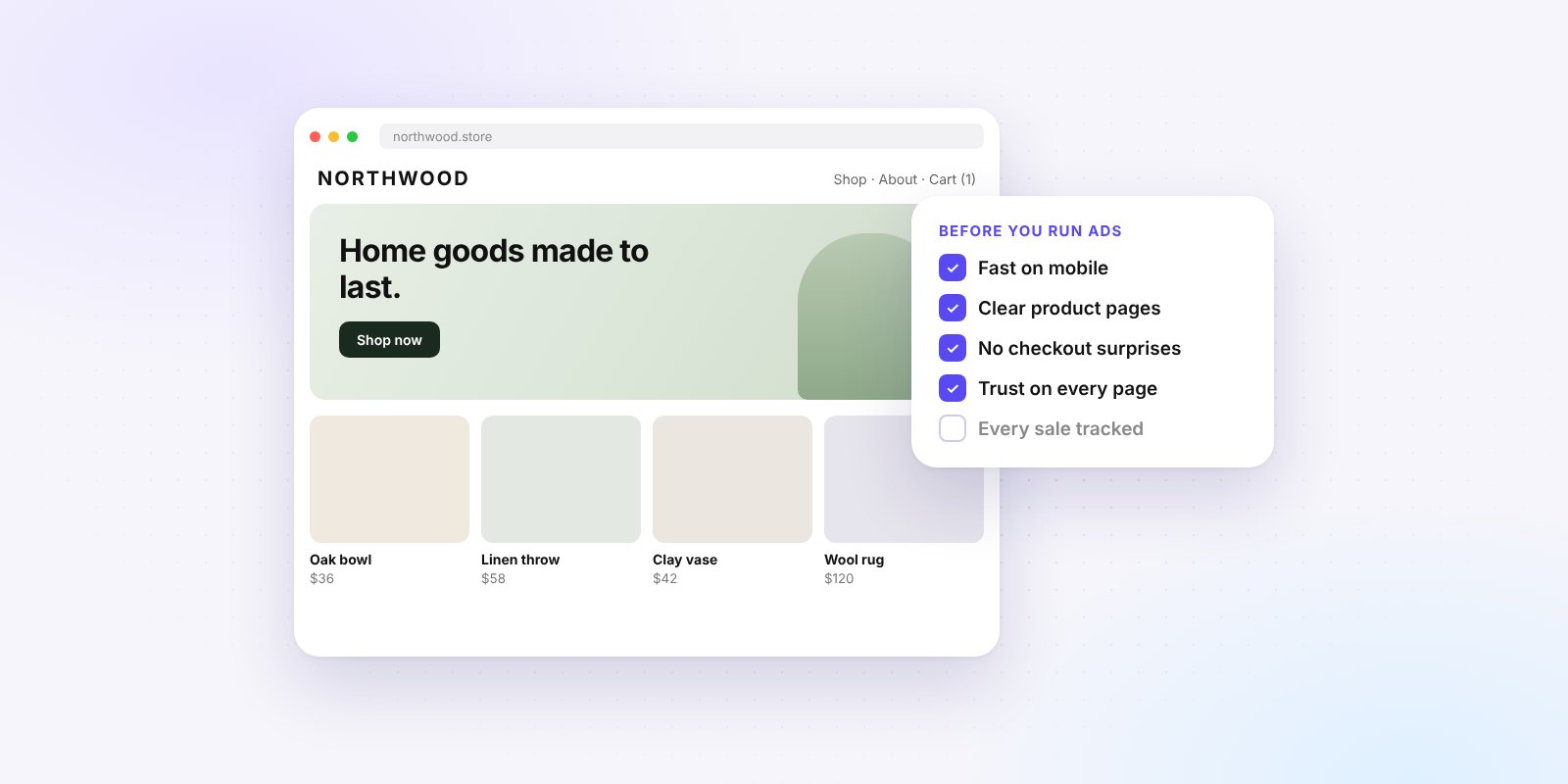
12. Make sure every sale is tracked
Before you run Meta ads, install the Facebook & Instagram app by Meta on Shopify and connect your Meta Pixel. Place a test order and check that the purchase shows up in Events Manager. If Meta can't see your sales, it can't find more buyers like them.
Your printable Shopify store checklist
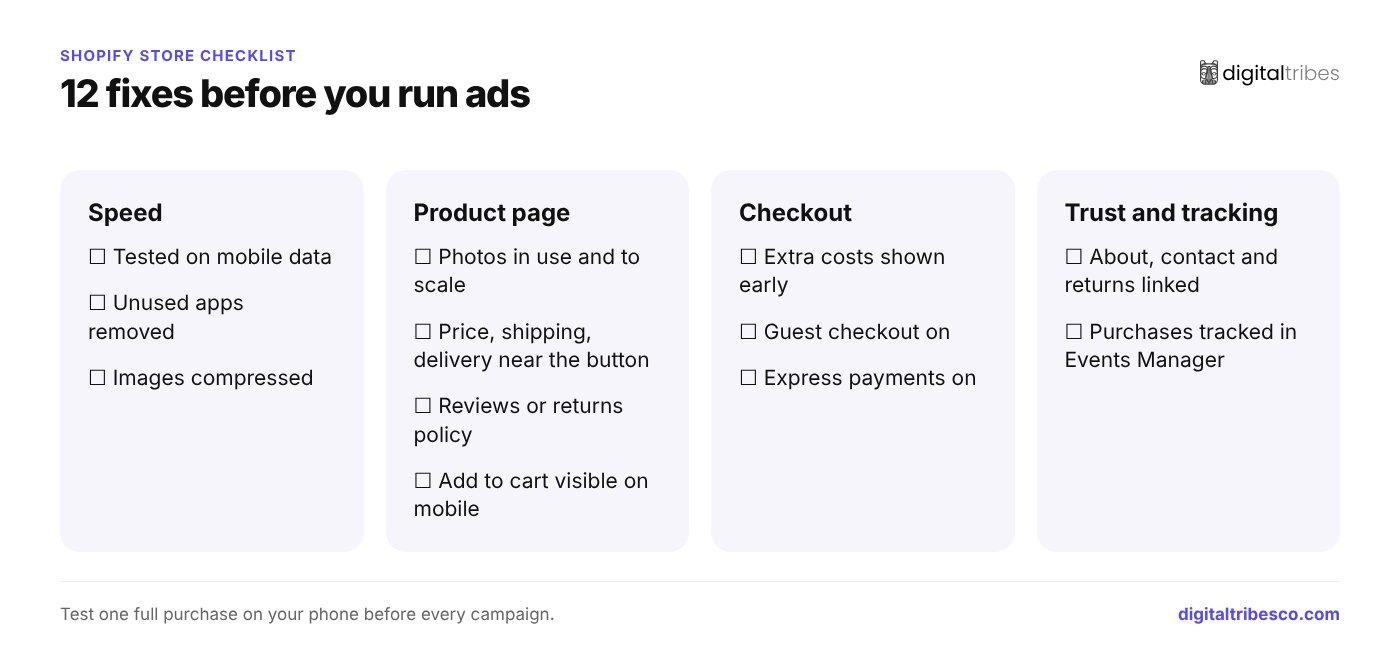
- Store tested on mobile data
- Unused apps removed
- Images compressed
- Product photos in use and to scale
- Price, shipping and delivery time near Add to cart
- Reviews or returns policy on the product page
- Add to cart visible on mobile
- Extra costs shown early
- Guest checkout on
- Express payments on
- About, contact and returns pages linked
- Purchases tracked in Events Manager
Test it like a customer, in 5 minutes
Before every new campaign, do one full purchase yourself, on your phone:
- Tap your own ad, or open the exact landing page link.
- Find the size or option you want without zooming in.
- Check that the shipping cost and delivery time match what the ad and the product page said.
- Pay with an express option, then cancel and refund the test order.
- Open Events Manager and confirm the purchase arrived once.
If anything felt slow, unclear or surprising to you, it will feel worse to a stranger who doesn't know your brand. Fix it first, then launch.
Starting from scratch?
If your store needs more than a few fixes, it can be faster to start on a theme that already gets these basics right. We have 50 premium Shopify themes built for fashion, beauty, home, food and fitness brands. Theme files arrive within an hour, and we can take you from kickoff to a live store in 48 hours. See the store setup packages.
Not sure where to start? Book a free call and we'll look at your store with you.